





Installation Guide for Typo3
of the Accede Me Widget
Install our Widget on your Typo3

-
1. Enter the Templates menu, select the template of the domain in which we want to add the Widget and edit the template by clicking on:

-
2. Once in the editing menu we go down to the section. And we add lines 52 and 53.
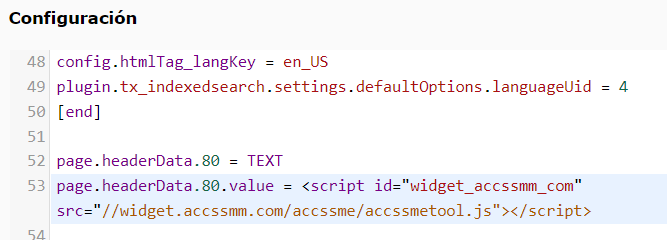
                                        48 config.htmlTag_lanKey = en_US

                                        49 plugin.tx_indexedsearch.setting.defaultOptions.languageUid = 4

                                        50 [end]

                                        51

                                        52 page.headerData.80 = TEXT

53 page.headerData.80.value = < script id="widget_accssmm_com src="// widget.accssmm.com/accssme/accssmetool.js">< /script> -
3. And our Widget will appear on your website.